To add a company to an international portfolio, you need to complete an international check. You can do this from the 'International Checks' tab on your dashboard.
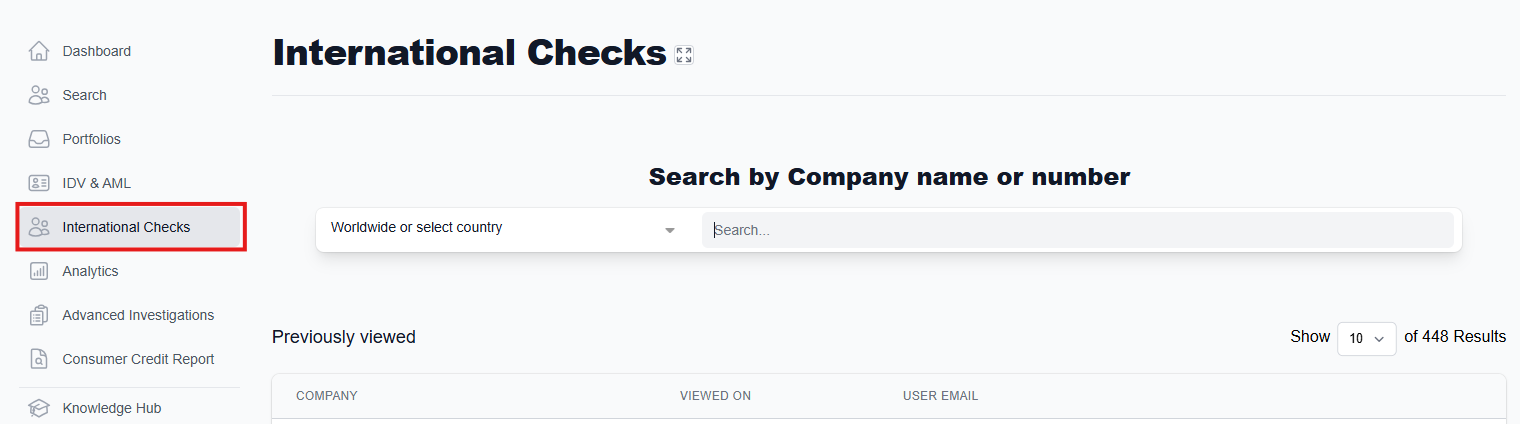
Use the search bar to search for the company you would like to monitor. If you know which country the company is based in, you can set the country using the drop down on the left to narrow your search.

This example shows the difference in results when the country is or is not specified:
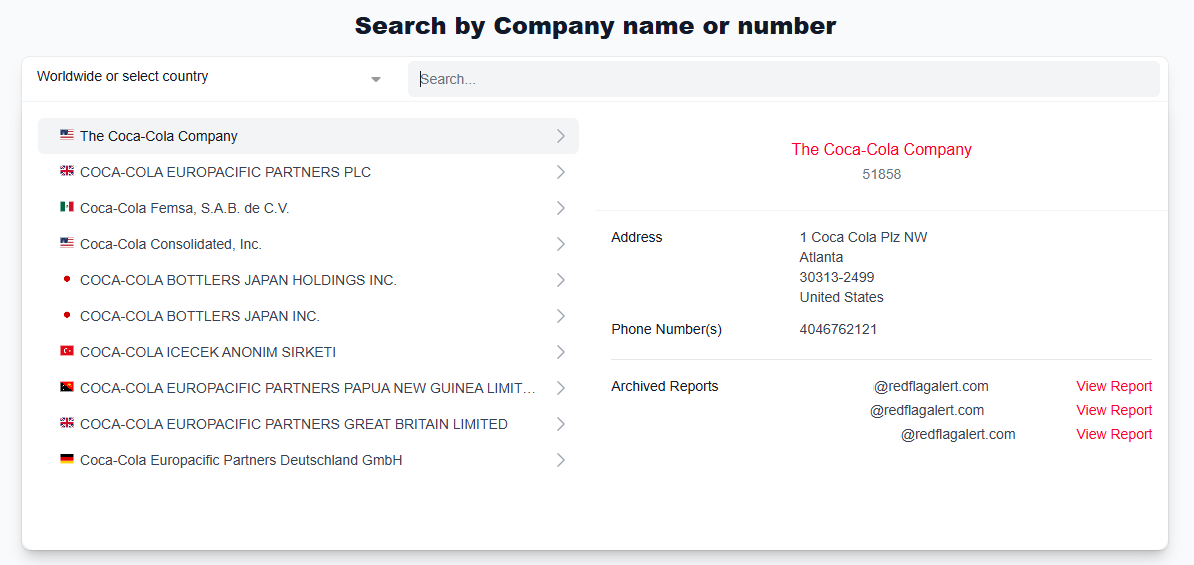
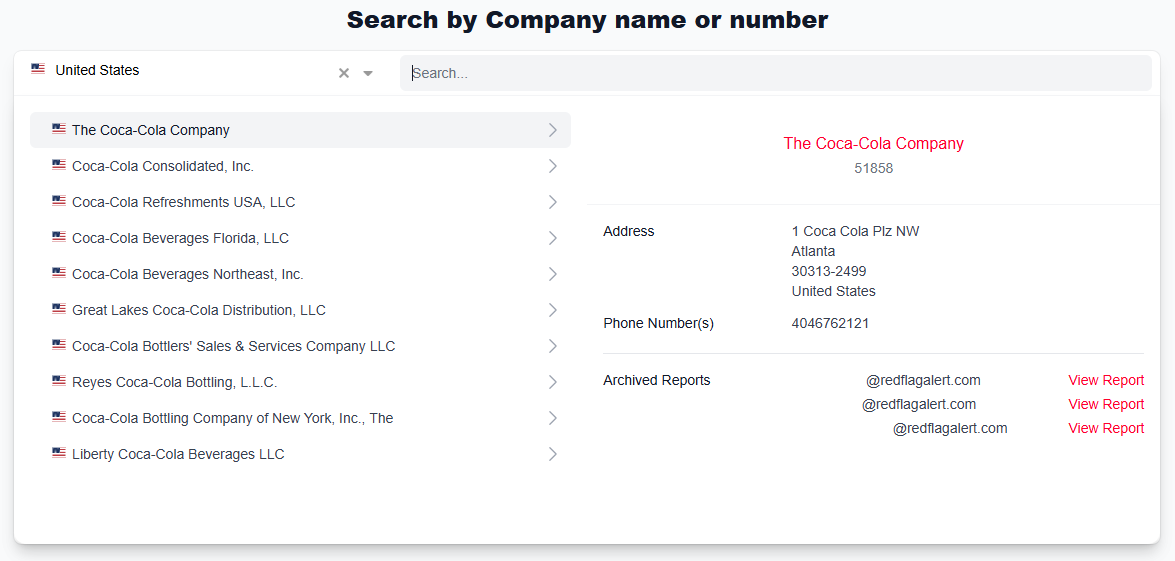
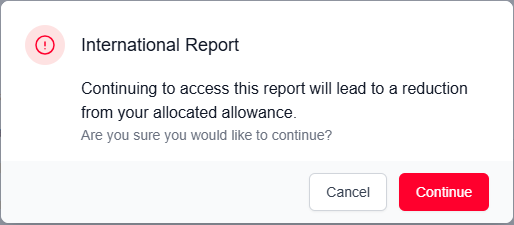
When you select a report to view, you will be asked if you are sure you would like to access this report because each report opened incurs a cost. If you have any queries about your credits, please contact your Account Manager or our Support team.
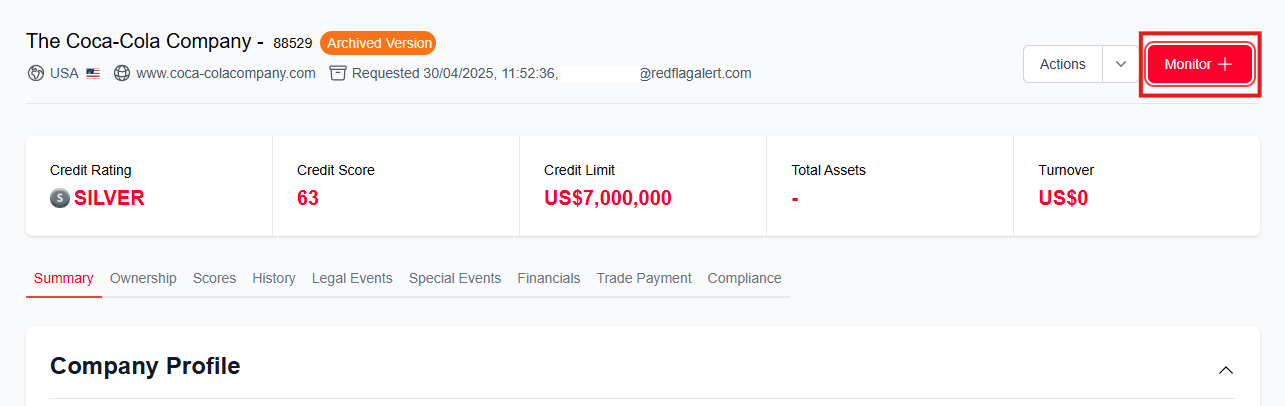
Once you have accessed the correct report, click 'Monitor' in the top right corner.
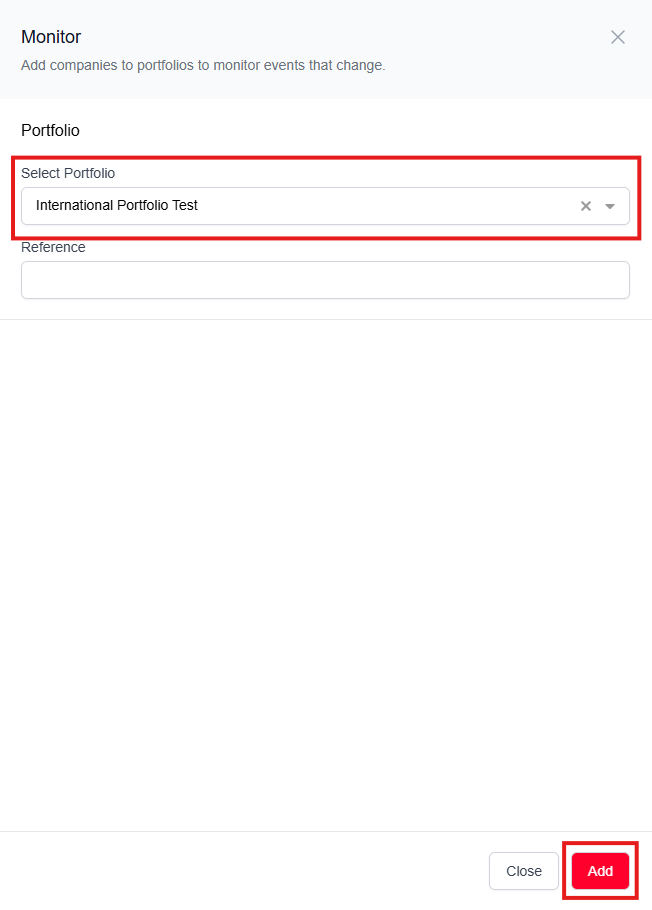
This will bring up a sidebar on the right side of your screen where you can select the portfolio you would like the company to be monitored in, and write a reference if necessary. When you are happy with your choice, click 'Add'.
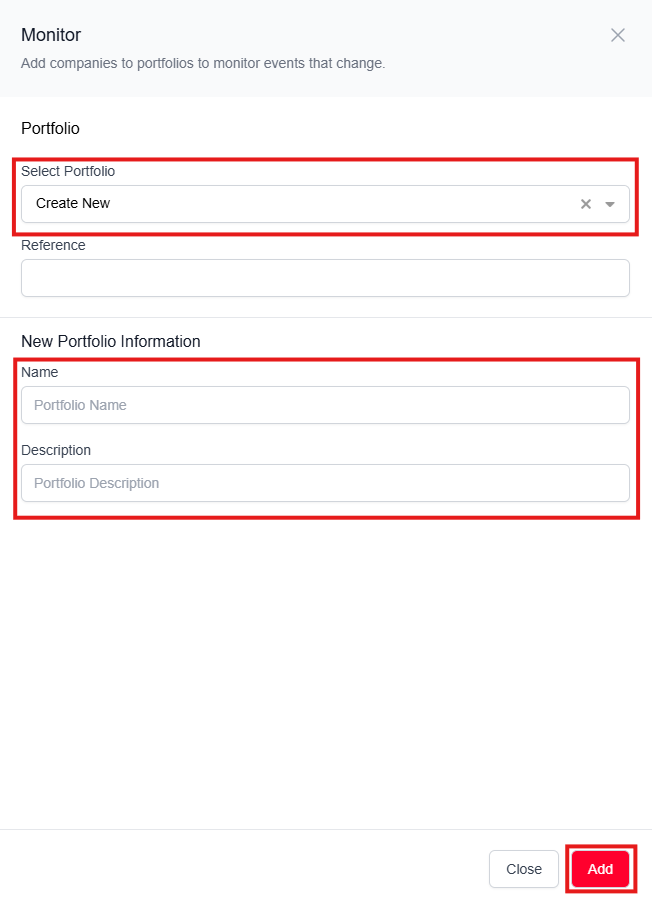
If you would like to add this company to a new portfolio instead of an existing one, you can click 'Create New' from the dropdown. Name your portfolio, add a description, and click 'Add'.
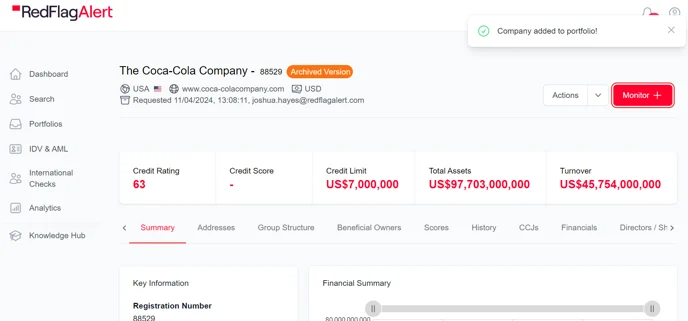
Once the company has been added, you will see a pop-up in the top right of your screen that says 'Company added to portfolio!'.
The next time you navigate to the portfolios tab and click to view your international portfolio, you will see the company monitored inside.
Was this article helpful?
That’s Great!
Thank you for your feedback
Sorry! We couldn't be helpful
Thank you for your feedback
Feedback sent
We appreciate your effort and will try to fix the article