Monitoring your checks
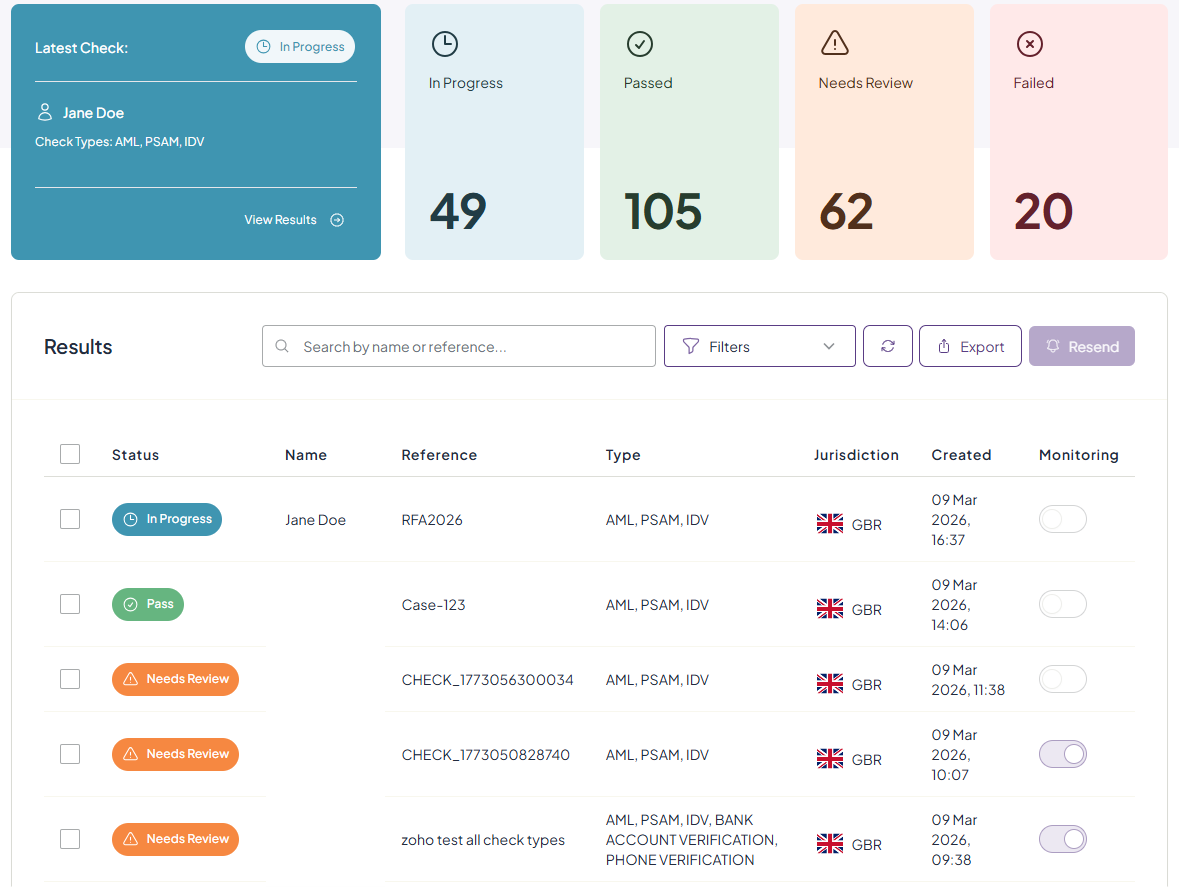
From the IDV & AML page, you can view your latest check, sent checks and their status. To filter to view a specific check, you can use the filters button, search bar, or click the required category box - e.g., 'Passed' to view all 'Passed' checks.
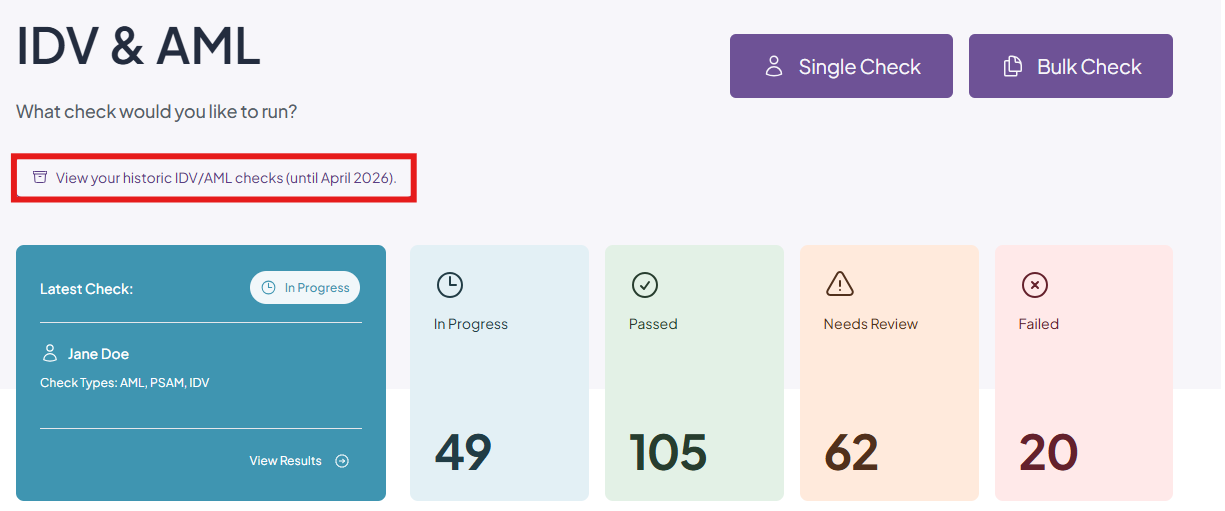
You can also view any checks that were sent out/completed using our legacy system by clicking the 'View your historic checks' button. Please note that this will only available until April 2026.
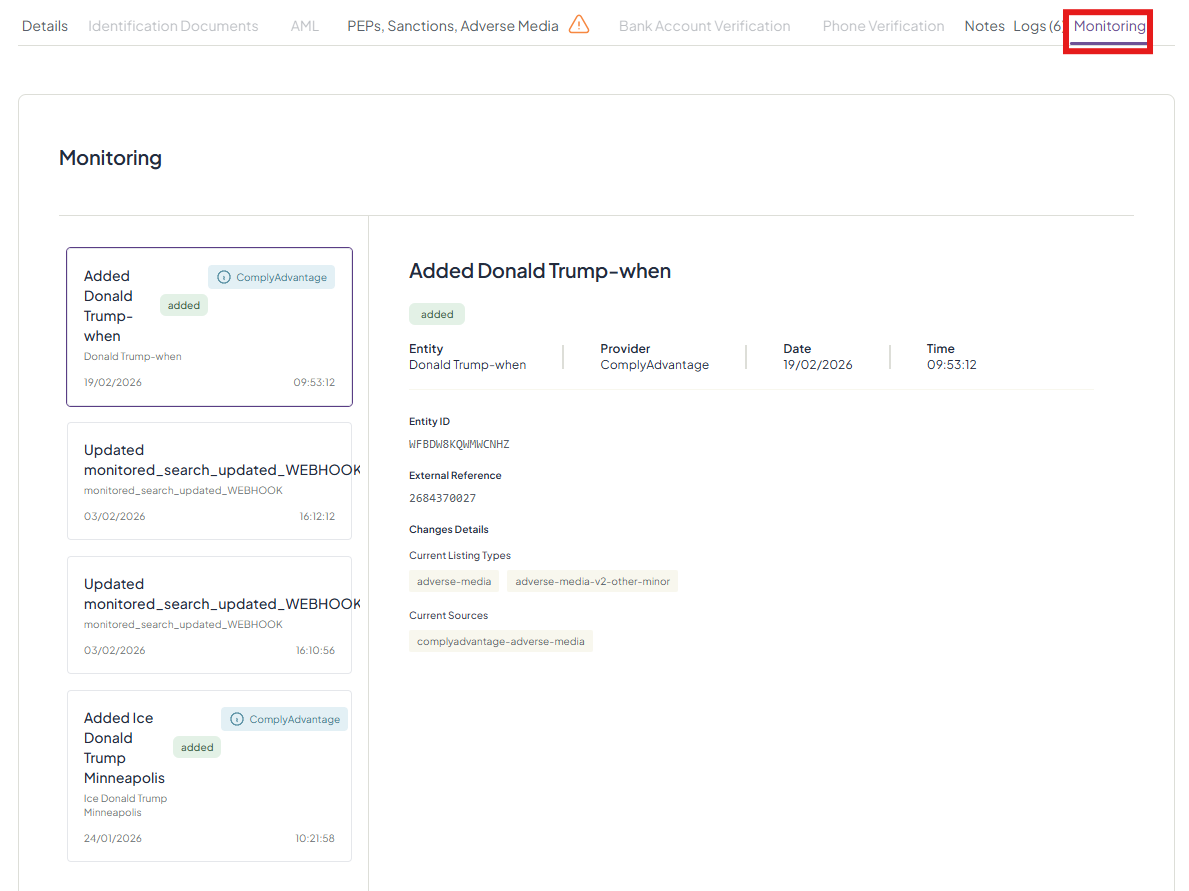
You can monitor changes on each individual check with monitoring enabled by clicking on the check from the list and going to 'Monitoring' on the right side of the options bar. Any changes will be documented here.
Was this article helpful?
That’s Great!
Thank you for your feedback
Sorry! We couldn't be helpful
Thank you for your feedback
Feedback sent
We appreciate your effort and will try to fix the article