An archived report is a previous version of a report. It is saved in an archive, allowing all users within your company to access historical international reports at no extra charge.
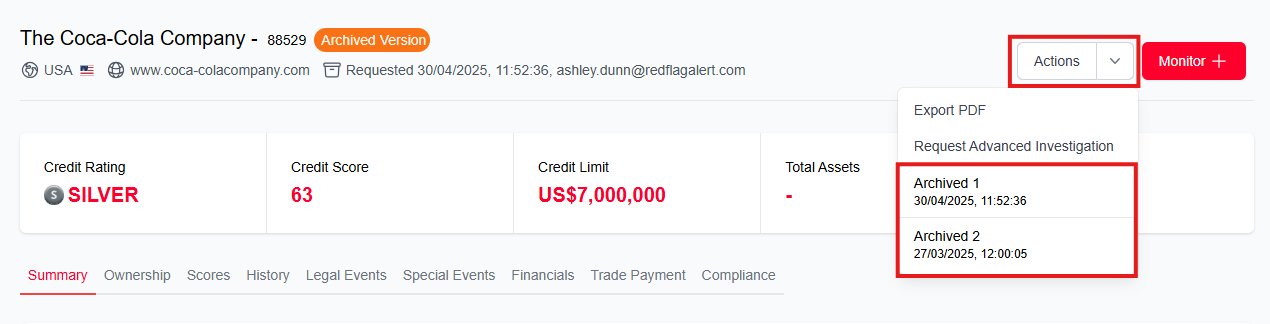
You can identify an archived report from the orange 'Archived Version' label next to the company name.

You can access any historical versions of the report by clicking into the 'Actions' menu and selecting the version you would like to view.
It is possible to disable archive reports. If you would like to do this, please contact your account manager. If you don't know who your account manager is, you can reach out to our support team here.
Was this article helpful?
That’s Great!
Thank you for your feedback
Sorry! We couldn't be helpful
Thank you for your feedback
Feedback sent
We appreciate your effort and will try to fix the article