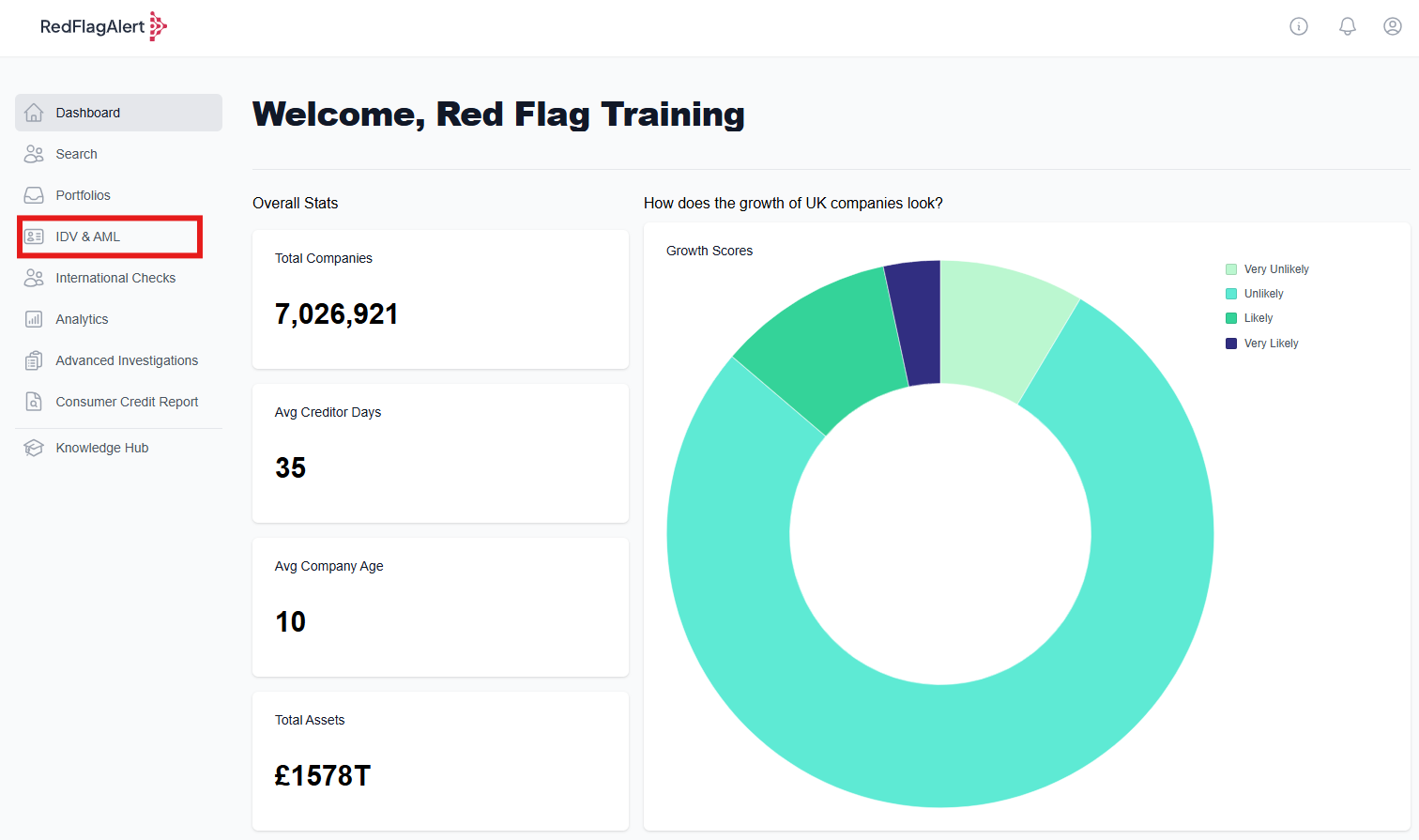
To review an IDV/AML/PSAM check within the platform, first navigate to the IDV & AML tab from the side of your RFA dashboard.
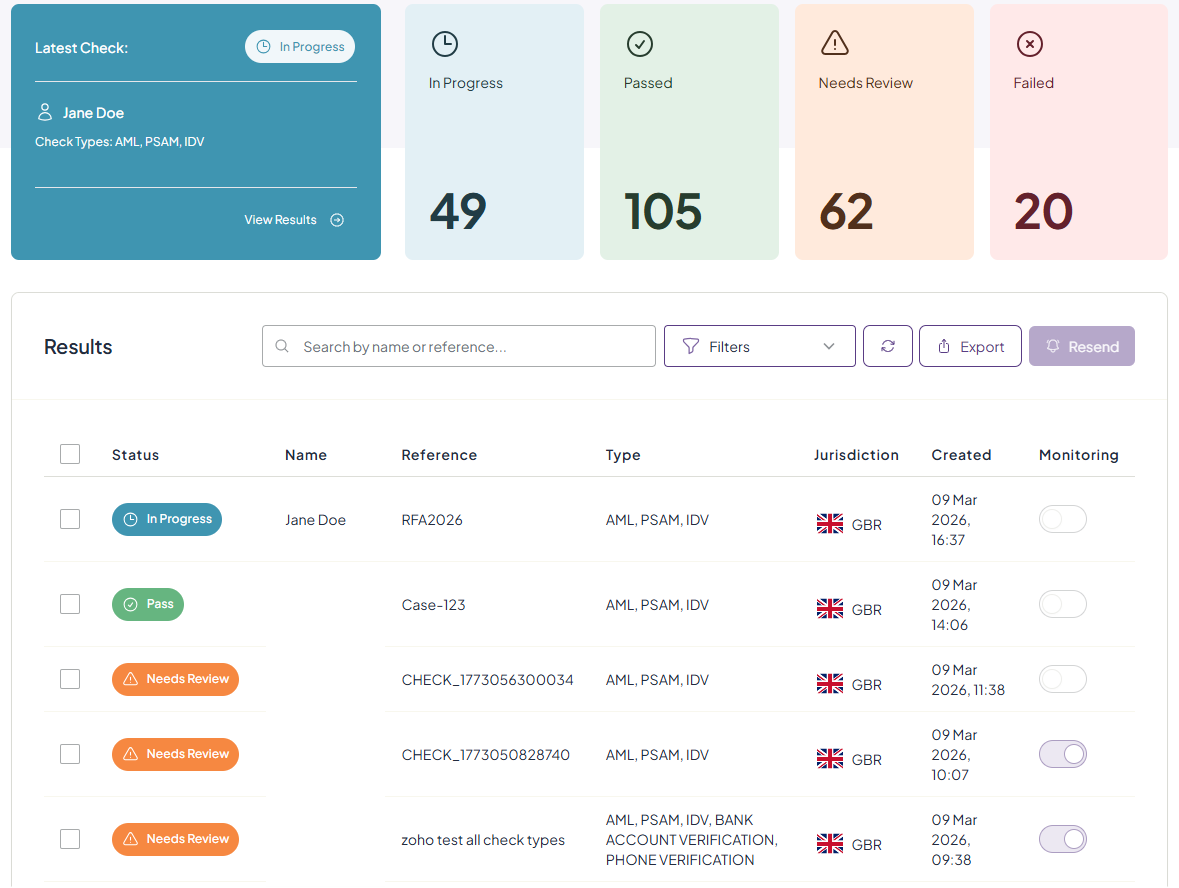
From the IDV & AML page, you can view your latest check, sent checks and their status. To filter to view a specific check, you can use the filters button, search bar, or click the required category box - e.g., 'Passed' to view all 'Passed' checks.
Understanding Check outcomes
Pass: The check has passed.
For IDV, the document provided has been reviewed as legitimate and belonging to the individual concerned.
For AML, the address of the individual has been matched to their name and date of birth, and the UK Credit Header.
For PSAM, the individual is not a politically exposed person, does not appear in articles of adverse media, and is not subject to sanctions
Needs Review: At least one result has flagged and needs to be reviewed.
For IDV, the photo check could fail or details may not match.
For AML, one element could be unable to match the individual to their address, such as if they are not registered on the Electoral Roll. It is worth noting that at least 3 pieces of credit are required in the Credit Database for an immediate pass.
For PSAM, the individual could be identified as a politically exposed person, or their name could appear in articles of adverse media, or they could be subject to sanctions.
To view the full report, click on the check within the IDV & AML dashboard.
When reviewing the checks, you can review the results to determine whether they relate to the screened individual (PSAM) and meet internal risk assessment criteria.

Updating Check Status
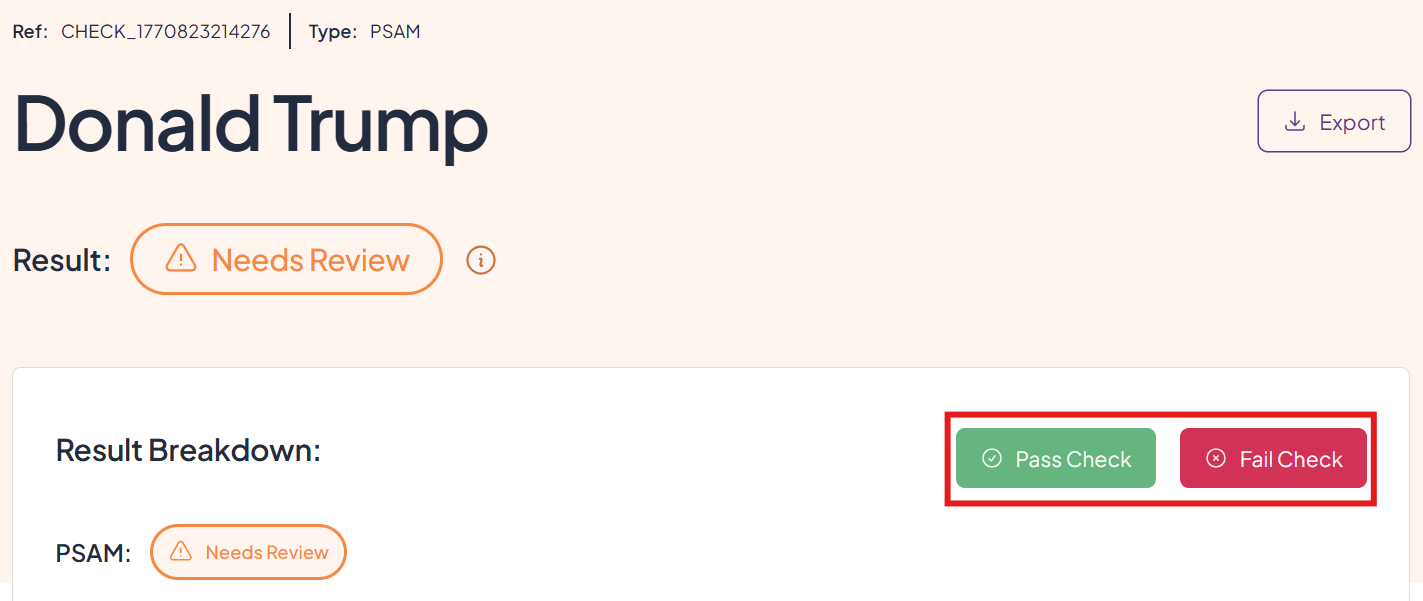
If you are satisfied that the identification document belongs to the correct individual, that the individual's address is legitimate, or that none of the PSAM results relate to the individual in question, you can manually update the check to 'Pass' by clicking the green 'Pass' icon. Conversely, you may manually mark the check as 'Fail'.
Monitoring Updates (PSAM)
A PSAM check with monitoring activated will automatically continue checking for additional matches from PEP, Sanction, and Adverse Media sources.
When an update is detected, an email will be sent to alert the Red Flag Alert user of a new PSAM for the monitored individual.
All updates on monitored individuals will also be included on the PDF export under the 'Monitoring' section.
Was this article helpful?
That’s Great!
Thank you for your feedback
Sorry! We couldn't be helpful
Thank you for your feedback
Feedback sent
We appreciate your effort and will try to fix the article