To offer flexibility when searching, our advanced search allows you to search for companies using various parameters.
Navigating to the Search function
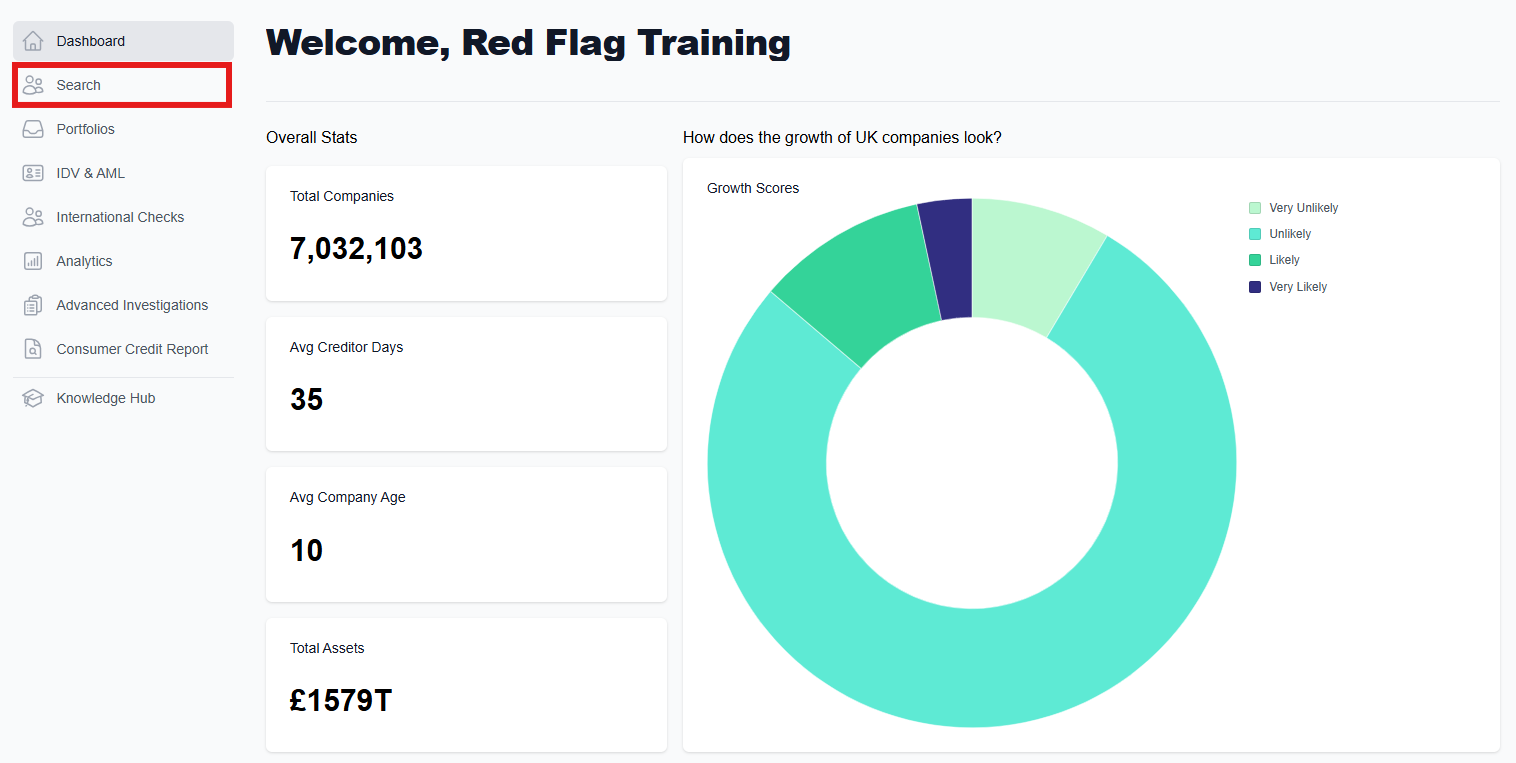
Having accessed the main dashboard, click on the 'Search' button on the left hand side. This will take you to the search page, where you will be able to look for a company/companies.
Advanced search parameters: Company
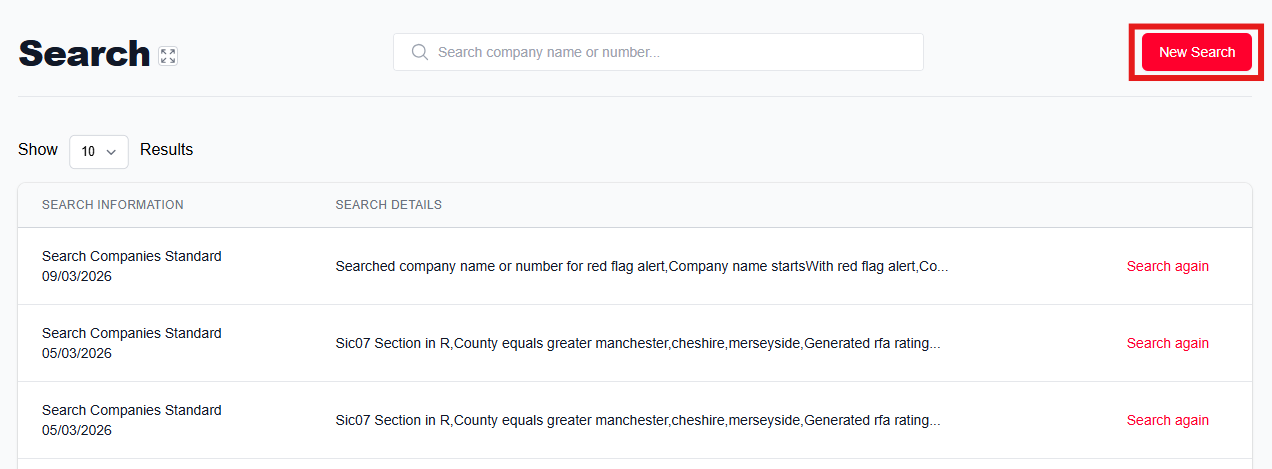
If you are looking to perform a more complex search, or are looking for multiple companies, the 'New Search' button will allow you to find a list of businesses based on your custom criteria.
To get started, click on the 'New Search' button in the top right corner of the page to bring up a side window on the right.
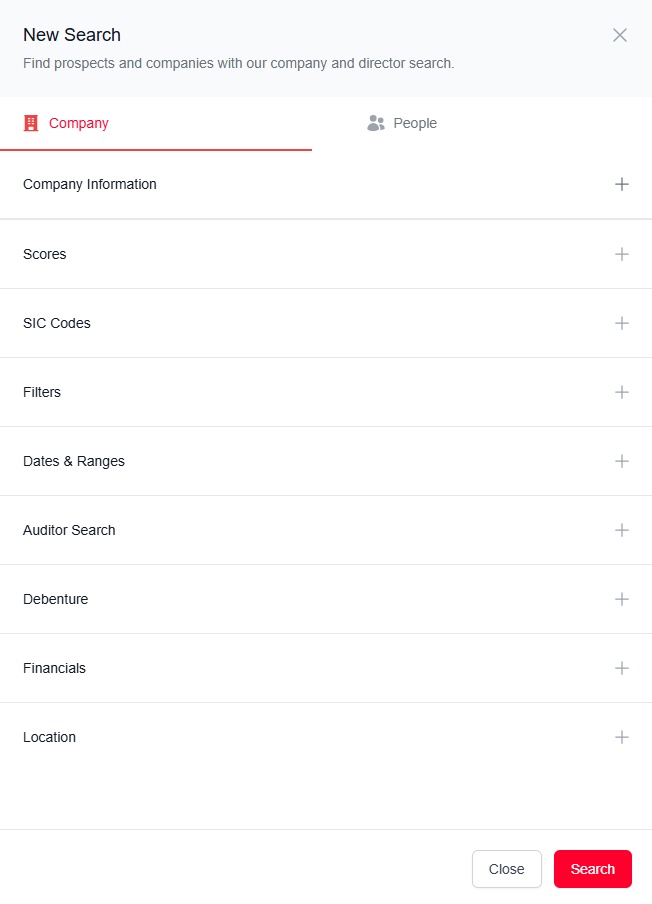
Customise your search by filtering as much or as little as needed. Click on the plus to expand the section. Here you will find several search parameters, each with their own sub-categories: Company Information, RFA Scores, SIC Codes, Filters, Dates & Ranges, Auditor Search, Debenture, Financials, and Location. For a more detailed explanation of each parameter, see below.
Once you have entered all the information you would like to search, click the 'Search' button at the bottom to see your results.
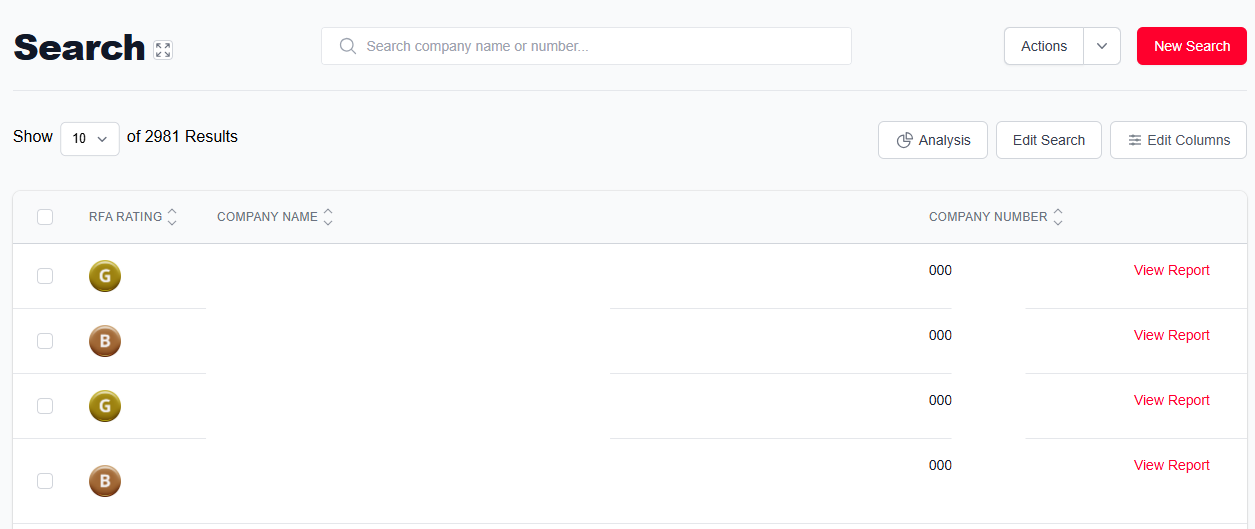
Once you have your results, you have several options to modify your search and monitor the companies.
Actions
Monitor All Results: Add all results to a portfolio to monitor for any changes.
View History: View your search history.
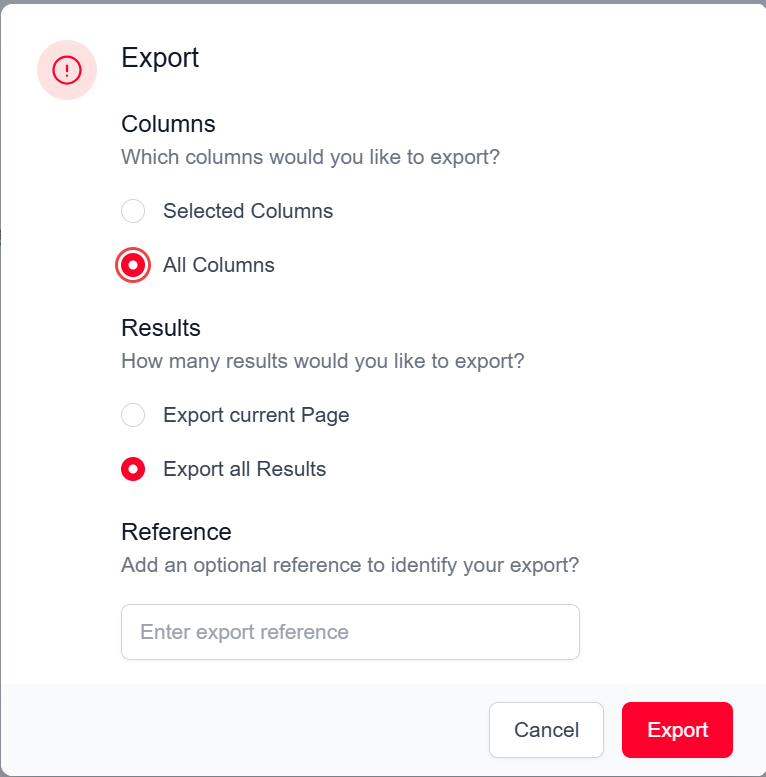
Export: Download these search results as a CSV file. Choose whether to export the selected data or all data, name your document, and export.
Analysis: See an overview of statistics relating to your search results including total number of companies, a breakdown of growth scores, location, assets, and employees.
Edit search: Modify search parameters to widen or reduce your results.
Edit columns: Add or remove data fields to the column list, such as director name, telephone number, SIC code, or turnover.
Definition of Entry Fields
Company Information
Specific information about the company including name, company number, VAT number, company type (i.e. if it is a PLC/LLP/non-limited), and the country of origin for either the group company or parent company.
RFA Scores
This is split into RFA Rating and Growth Score. Our RFA rating indicates how stable a company is, as well as what stage they are at in their insolvency life cycle. The Growth Score allows you to search based on the likelihood of growth in a company. Our ratings are fully explained in the RFA Ratings page. Including RFA Rating in your search criteria is a great way of filtering out results that would not meet your company's risk appetite.
SIC Codes
This section allows you to target a search based on industry. SIC sections contains the broader searches, with SIC Codes allowing you to further refine.
Filters
Enables you to search for companies based on what general information they have, including whether they have a named contact, phone contact, email contact and filed accounts. This section also allows you to exclude companies who are non-trading, and those who are TPS/CTPS/GDPR registered.
Dates & Ranges
This section allows for in-detail criteria to be set concerning company structure, formation and data. It allows for a minimum and maximum input value for turnover (with an option to include estimated turnover), employees, total assets and credit limit. It also includes incorporation date, last updated, director DOB and last filed accounts.
Auditor
By entering the name of an accountant/auditor in this field you will focus your search on only companies that listed that accountant as their auditor when their last results were submitted to Companies House.
For example, if KPMG were entered into this field only companies with KPMG listed as their most recent auditor would be included in your search results.
Debenture
Provides space for debenture details such as holder name, secured on, whether it has been satisfied, the type of debenture, and the date created.
For example, if you were to search by Lloyds as the holder name and select unsatisfied debentures only companies with unsatisfied debentures to Lloyds would be included in your search results.
Financials
Specifics surrounding financial information over the past 5 years, with the ability to define data points and their value.
Location
Space to input location of companies through either specific address or broader areas. This can be for either the registered or trading address, and allows for either a specific address search, or a definition of district/borough, county, and postcode.
Was this article helpful?
That’s Great!
Thank you for your feedback
Sorry! We couldn't be helpful
Thank you for your feedback
Feedback sent
We appreciate your effort and will try to fix the article