If you are looking for information on a single company, the search bar at the top of the page will allow you to search using either the company name or company number.
Navigating to the Search function
Having accessed the main dashboard, click on the 'Search' button on the left hand side. This will take you to the search page, where you will be able to look for a company/companies.
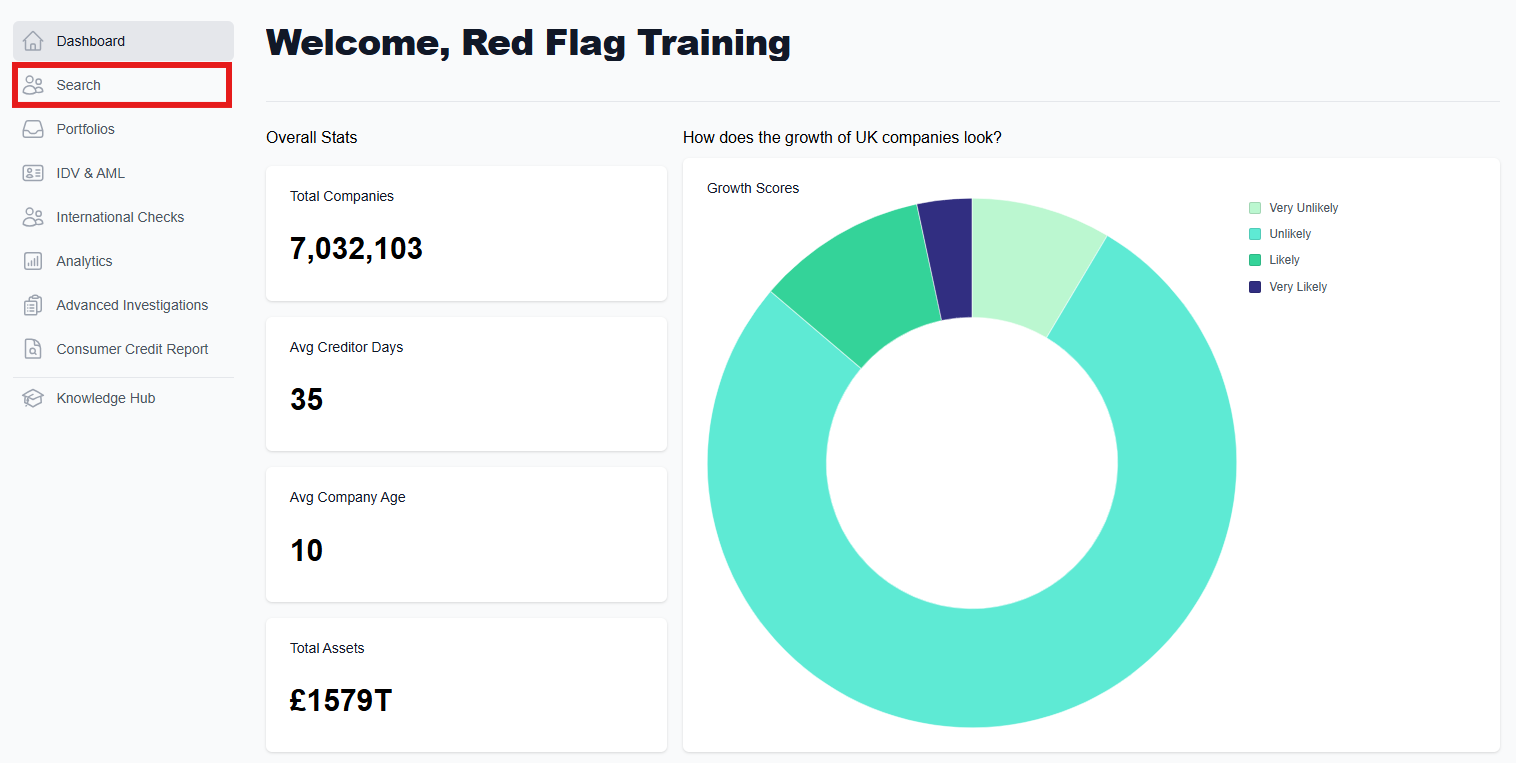
Using the Search Bar
If you are looking for information on a single company, the search bar at the top of the page will allow you to input either the company name or company number.
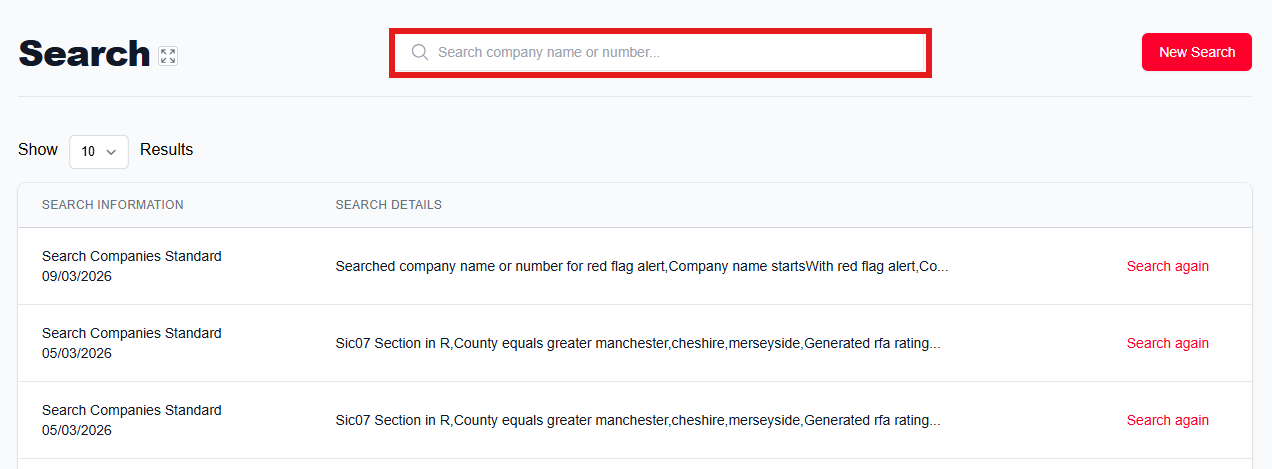
An auto-suggestion feature will bring up potential matches for you to choose from as you type, or alternatively you can press 'Enter' on your keyboard to bring up the matches in a list view. Click on the desired company to go to their company dashboard.
Searching by company name or company number
Searching by name provides a range of results, allowing for minor mistakes in spelling, and meaning that you can use this feature to search for potential clients.
Searching by company number requires exact accuracy as the search will not return any results if the number does not exist. This is therefore usually used when you want to view a specific business, not when looking for potential clients.
How does the search work?
The prefix search, also known as a 'starts with' search, matches entries that begin with the inputted characters. This ensures that the search results are more precise and relevant to what you are typing.
When you search, the system generates a query using GraphQL. This query is then processed by Elasticsearch, which uses a multi-field property to match the search terms exactly as entered.
By using Elasticsearch's efficient querying capabilities and limiting data retrieval to only the necessary fields, the search performance is significantly enhanced. This has resulted in much faster search times, even for large datasets.
Is the search case-sensitive?
No, the search is case-insensitive, meaning it does not differentiate between uppercase and lowercase letters.
Why might I get unexpected results or miss some expected results?
Due to the exact nature of prefix searches, variations or abbreviations might not be matched. For instance, searching for "Ltd" won't return results for "Limited".
Why do we use a prefix search instead of other search types?
Prefix searches are used because they provide a good balance between performance and relevance. Other types of searches, like term-based or fuzzy searches, can return results that are less precise, and more confusing for users. It can also take longer to yield results.
Was this article helpful?
That’s Great!
Thank you for your feedback
Sorry! We couldn't be helpful
Thank you for your feedback
Feedback sent
We appreciate your effort and will try to fix the article