Auditor Search in Red Flag Alert allows you to find all companies that have a specific auditor or accountant listed at Companies House.
By entering the name of an auditor or accounting firm, the system retrieves a list of businesses they are associated with, helping you analyse their client base and assess potential risks or opportunities.
Auditor search is found within the advanced company search parameters.
Navigating to the Search function
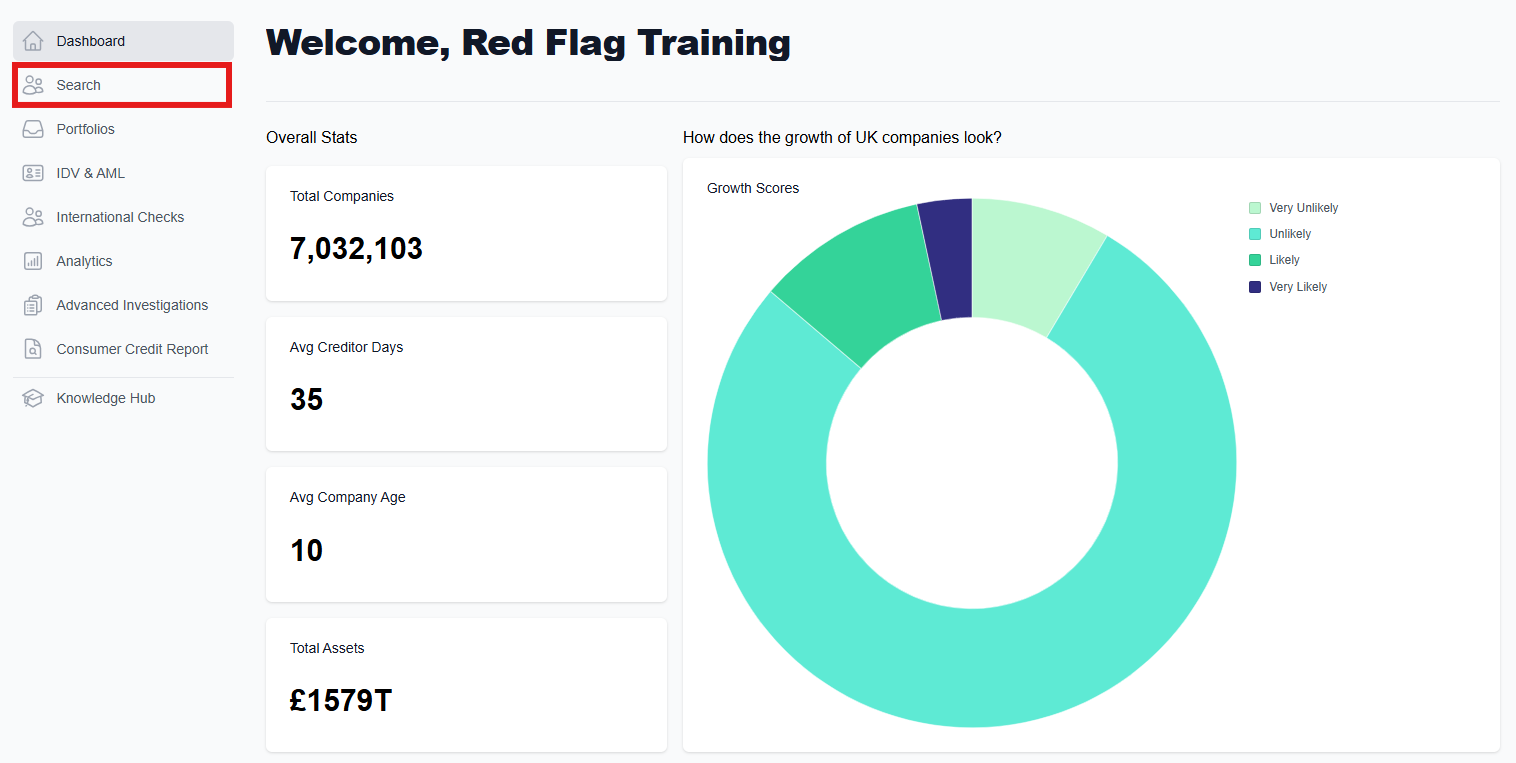
Having accessed the main dashboard, click on the 'Search' button on the left hand side. This will take you to the search page, where you will be able to look for a company/companies.
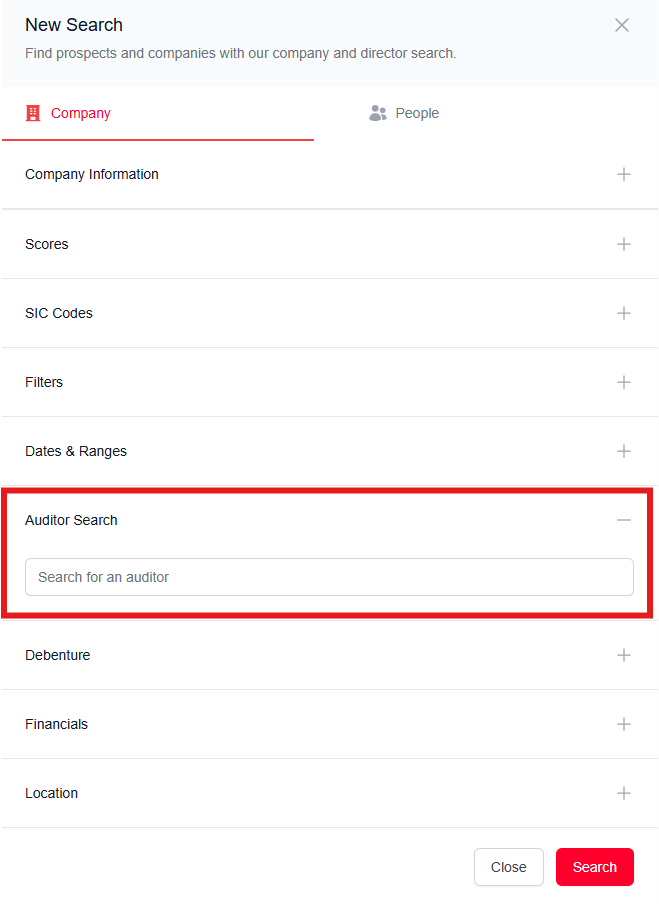
Advanced search parameters: Auditor
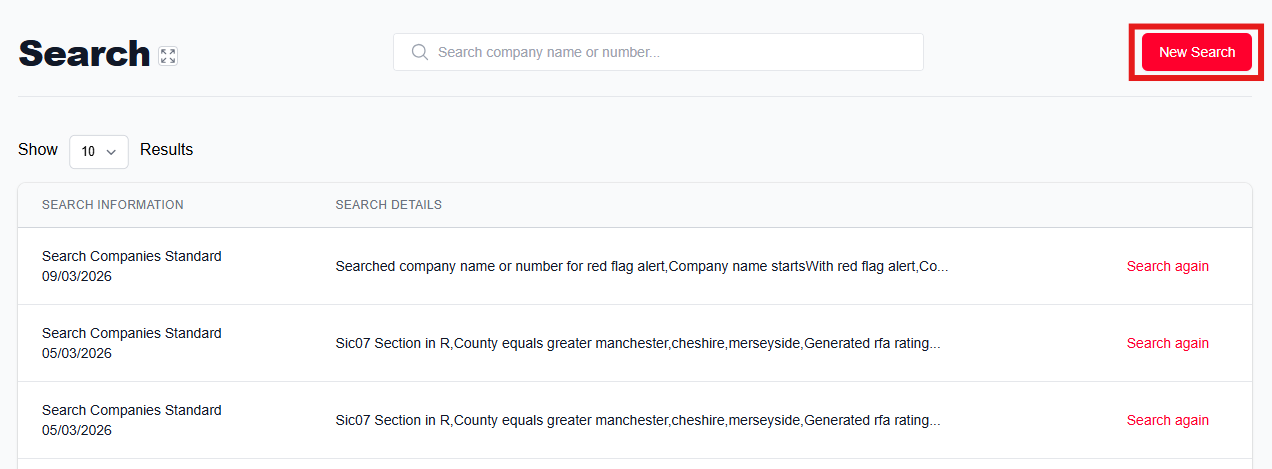
To get started, click on the 'New Search' button in the top right corner of the page to bring up a side window on the right.
Customise your search by filtering as much or as little as needed. Here you will find several search parameters, each with their own sub-categories. Click on the plus to expand the 'Auditor' section and type in the name of the person you are searching for, then click the 'Search' button at the bottom to see your results.
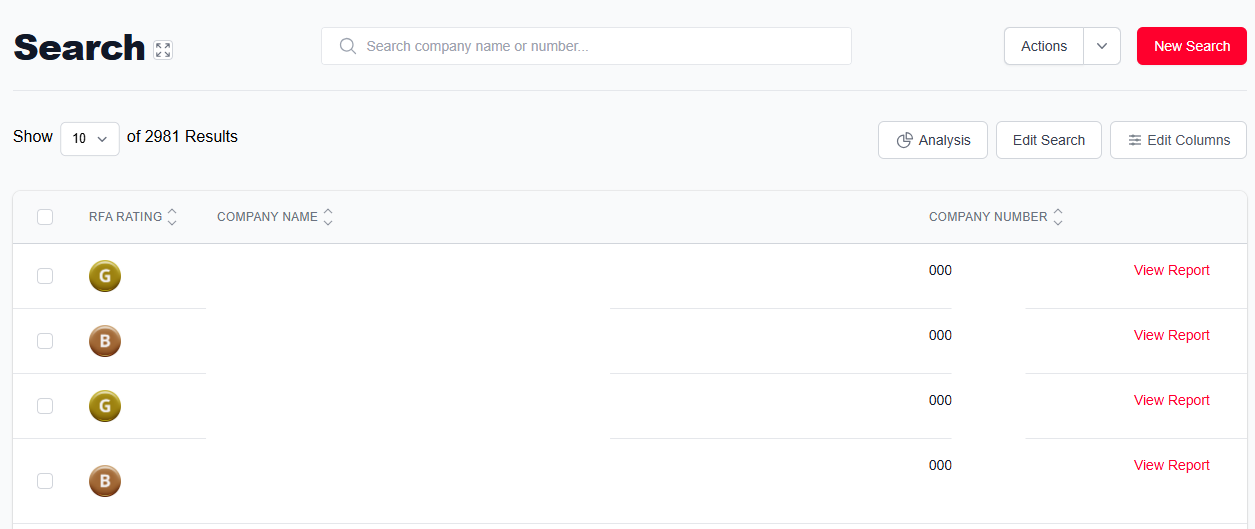
Once you have your results, you have several options to modify your search and monitor the companies.
Was this article helpful?
That’s Great!
Thank you for your feedback
Sorry! We couldn't be helpful
Thank you for your feedback
Feedback sent
We appreciate your effort and will try to fix the article