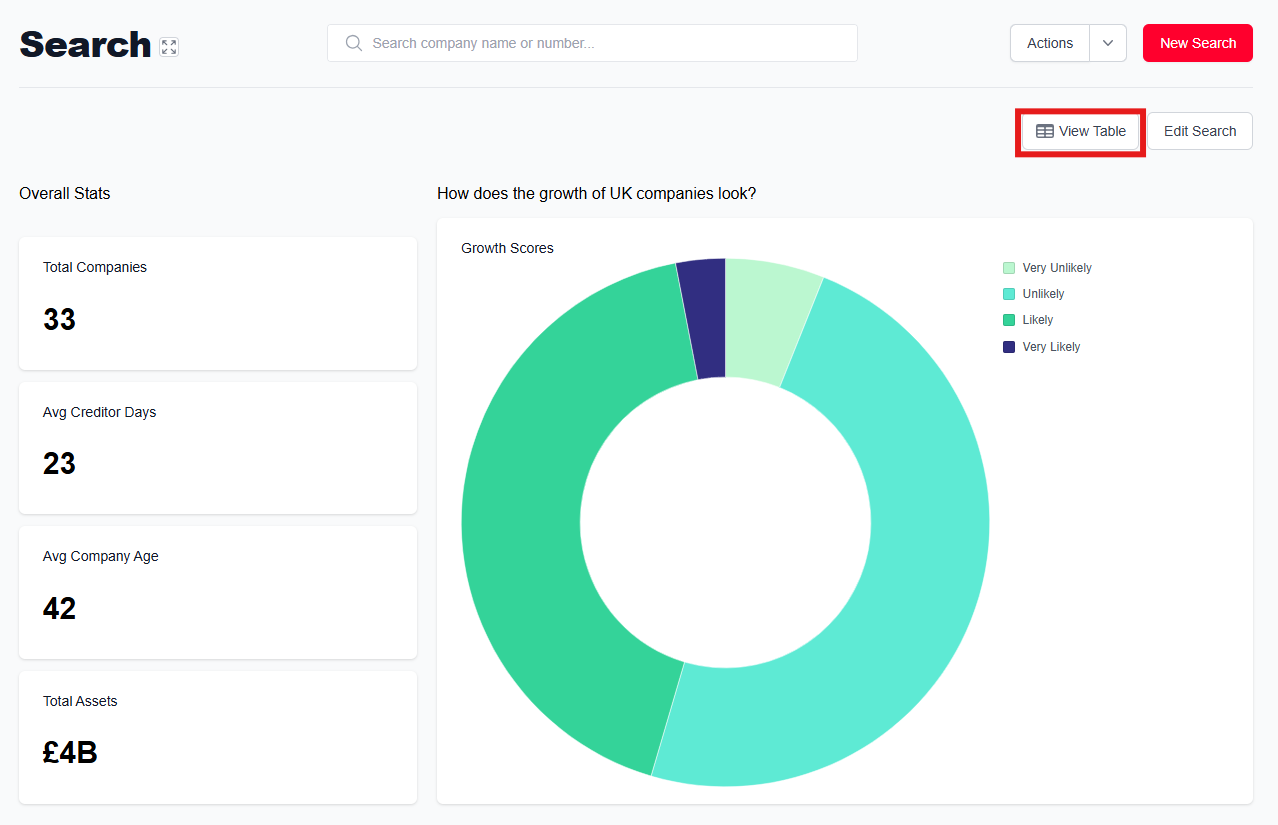
Once you have the results of your company search, you will see options to analyse, edit, and monitor. Click 'Analysis' above the list of search results to access the analytics dashboard.
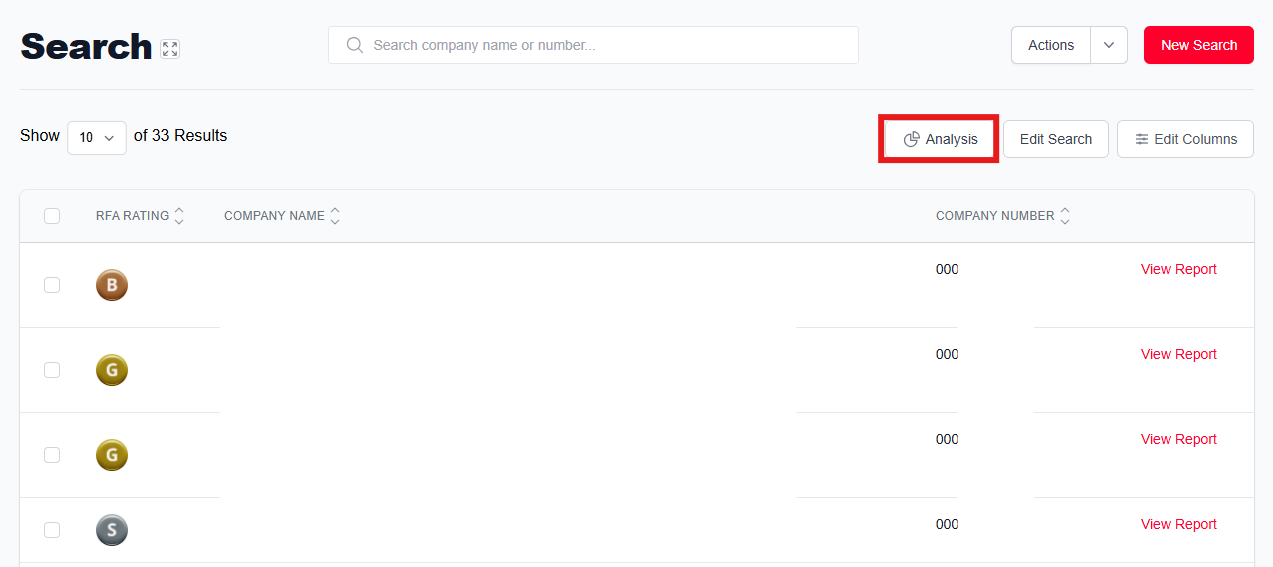
Click 'View Table' to go back to the table view. You can toggle between these two pages to switch view at any point.
From the table view, you can edit which columns are visible. For a list of columns you can include on your page, see below.
List of available columns
- RFA Rating
- Company Name
- Company Number
- Auditor
- Credit Limit
- Creditor Days
- Debenture Created Date
- Debenture Holder
- Debenture Satisfied Date
- Director Birthdate
- Director First Name
- Director Nationality
- Director Last Name
- Director Title
- Estimated Turnover
- Growth Score
- Incorporation Date
- Last Filed Accounts
- Marketing Preference
- No. Estimated Employees
- Accounts Next Due
- No. of Employees
- Post Tax Profit
- Pre Tax Profit
- Registered Address
- Retained Profit
- Revenue Increase
- Shareholders Funds
- Primary SIC Code
- SIC Code Descriptions
- SIC Section
- SIC Section Descriptions
- SIC Sub Class Description
- Telephone
- Total Assets
- TPS Registered
- GDPR Registered
- Trading Address
- Turnover
- Website
- Working Capital
- Latest Action
- Profit Loss
For guidance on exporting your results, click here.
Was this article helpful?
That’s Great!
Thank you for your feedback
Sorry! We couldn't be helpful
Thank you for your feedback
Feedback sent
We appreciate your effort and will try to fix the article