To manage sub accounts, start in the 'User Management' portal. You can access 'User Management' from the RFA platform by clicking on the icon in the top right corner and selecting 'User Management'. Alternatively, you can use this link.

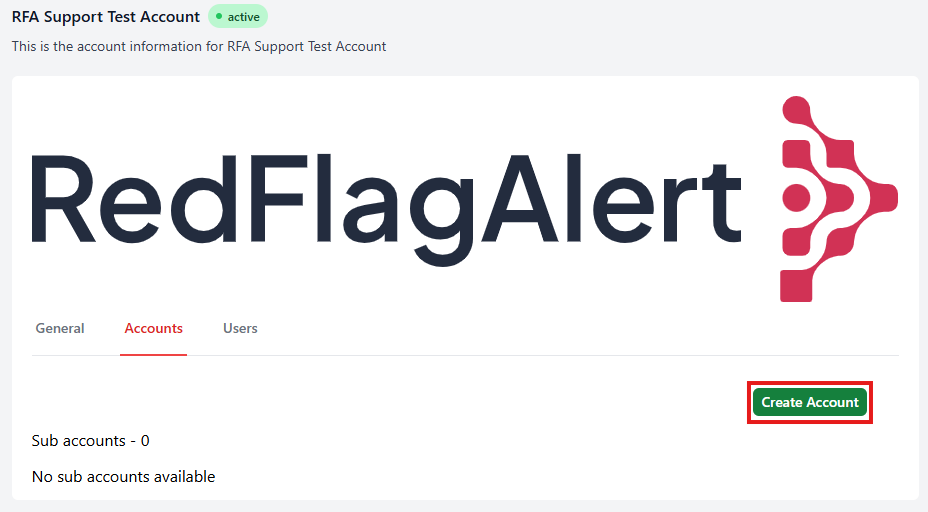
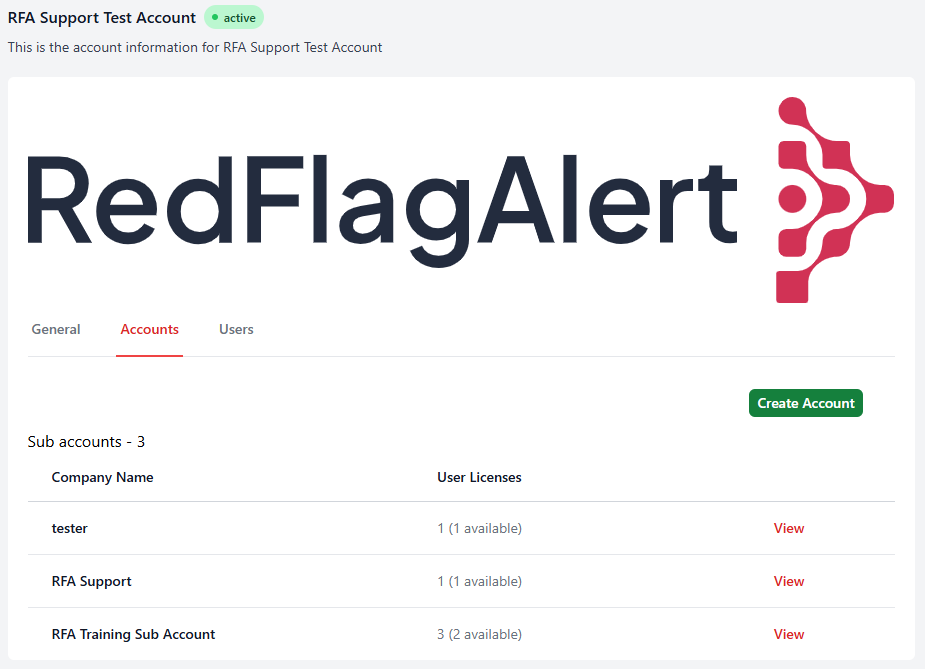
From the 'Accounts' tab of the 'User Management' portal, you can view any existing sub accounts and create a new one by clicking 'Create Account'.
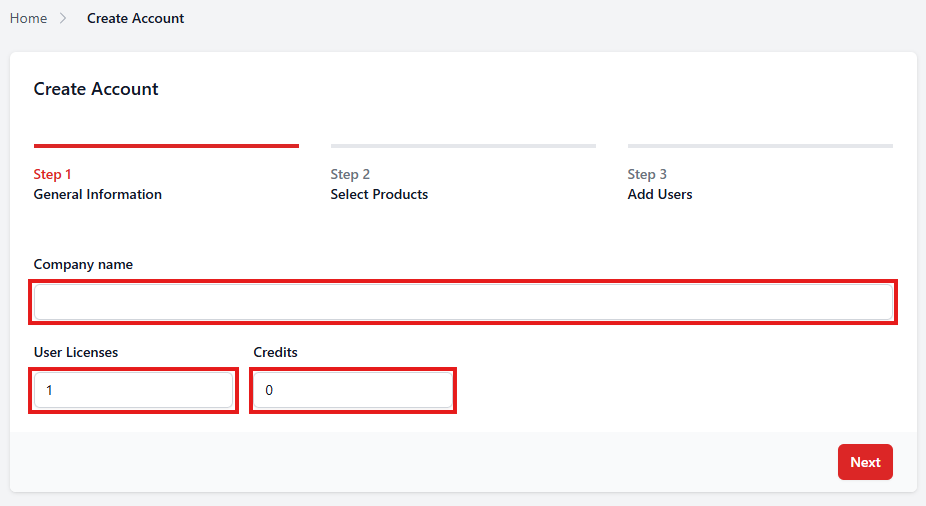
Enter the company name and determine the number of user accounts and credits that will be allowed, then click 'Next'.
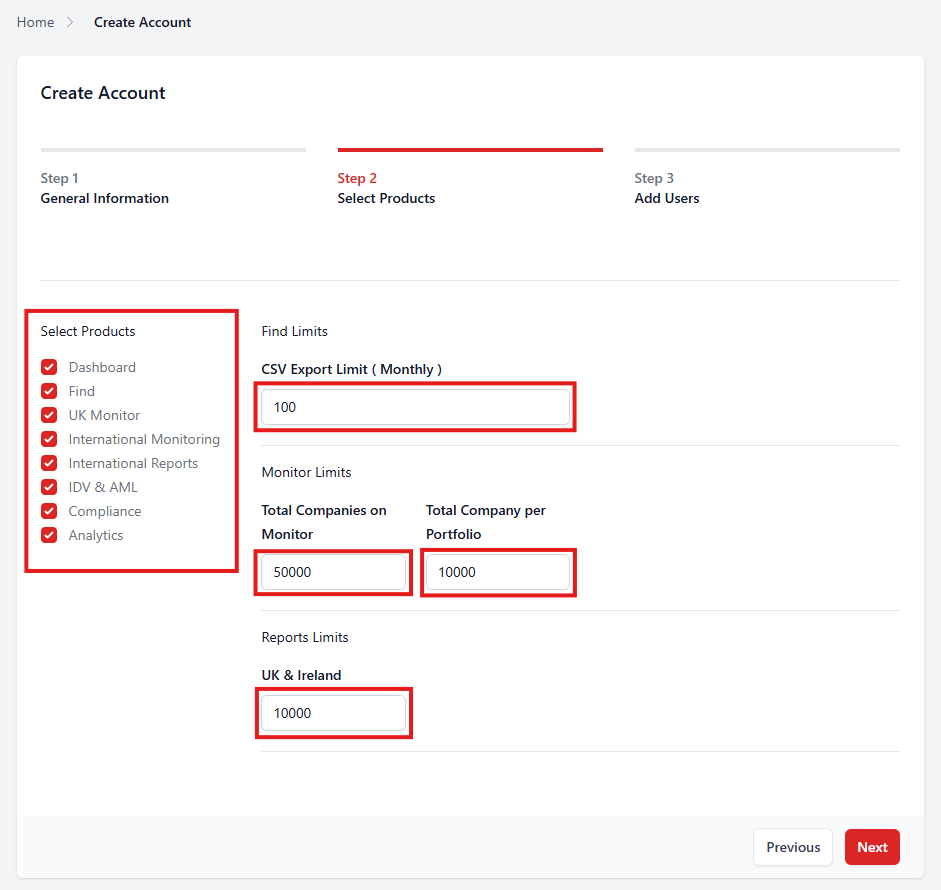
Choose which products to use on this account, then define the limits. When you have finished, click 'Next'.
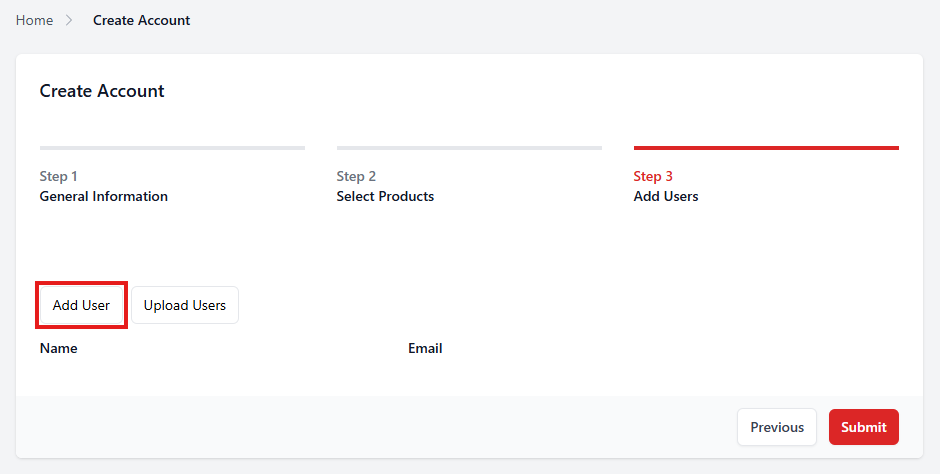
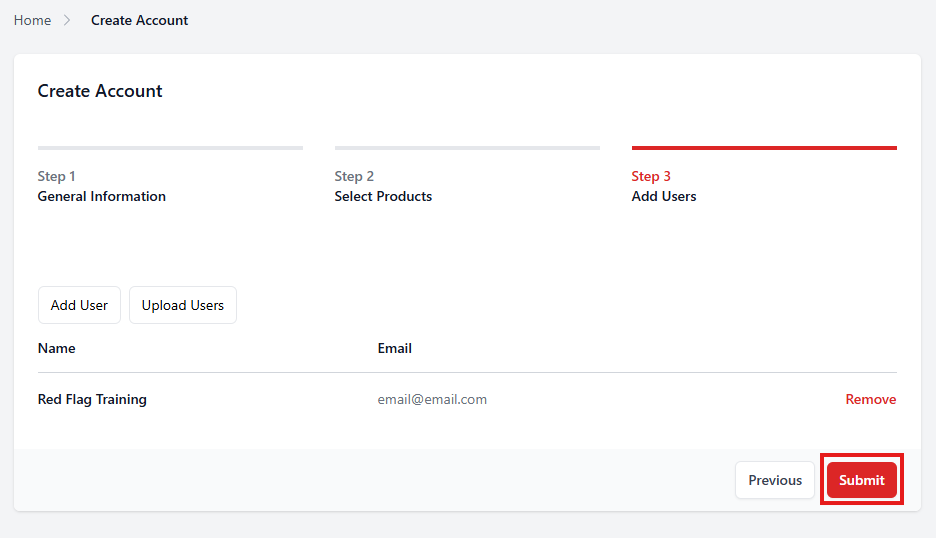
Add users to the account by clicking on 'Add User'.
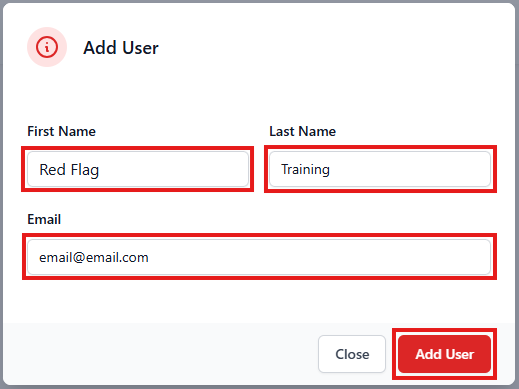
Enter the user's first name, last name, and email address, then click 'Add User'.
If you need to add more than one user, click 'Add User' to add another. When you are finished, click 'Submit'.
When you return to the 'Accounts' tab, you will be able to view and access your sub accounts.
Was this article helpful?
That’s Great!
Thank you for your feedback
Sorry! We couldn't be helpful
Thank you for your feedback
Feedback sent
We appreciate your effort and will try to fix the article