IDV
There are various reasons why an IDV check might not pass. These include:
- The person in the selfie is not the person on the document.
- The document is not fully visible, for example:
- A blurry or unclear image
- Fingers covering the edge of the document
- All 4 corners of the document not visible
- Glare which affects key details, the photo, or hologram - A saved image is used instead of the physical document.
- The details given do not match those on the document.
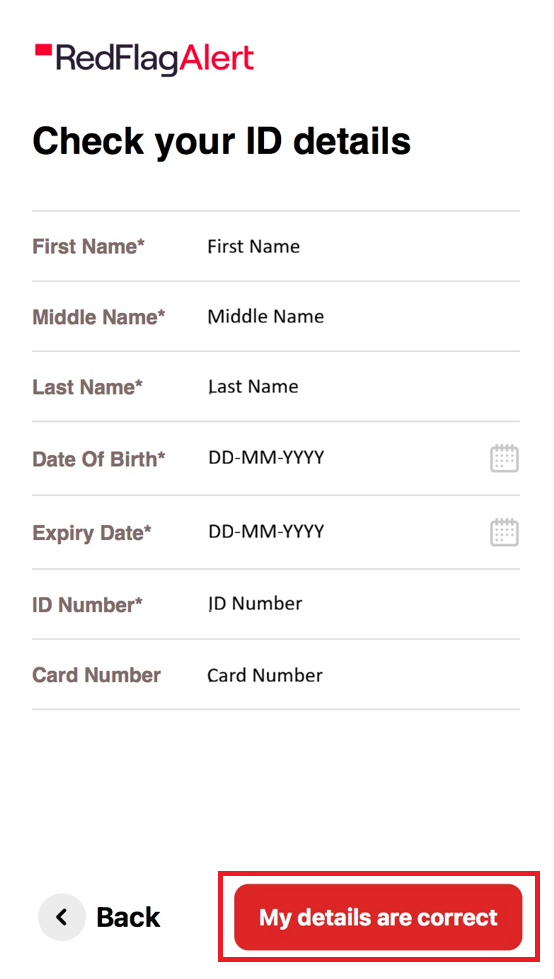
- The details have been incorrectly lifted from the document; please verify that your name, date of birth, and ID details are accurate. If needed, you are able to manually edit these fields by clicking into the text as seen in the image below.
Please note:
- If your ID has expired, you will not be able to complete the check. Please ensure that your ID is still valid before proceeding.
- If a quality issue is detected with your ID photo, you will be prompted to retake it. You may retake the photo up to two times, with the final image submitted on your last attempt.
AML & PSAM
Please note:
- AML and PSAM checks rely on the information given by the check creator at the time of sending, rather than the data captured from the ID scan.
- If AML or PSAM checks do not pass, they are not automatically failed; instead, they are flagged as 'needs review'.
Was this article helpful?
That’s Great!
Thank you for your feedback
Sorry! We couldn't be helpful
Thank you for your feedback
Feedback sent
We appreciate your effort and will try to fix the article