Tampering checks are layered checks which work together to identify whether an ID is genuine or has been altered, from examining fine elements like spacing and serial numbers to assessing photo integrity and subtle signs of image manipulation. There are 4 types of tampering check: Photo Check, Detail Check, Image Composition, and Document Integrity. Here, we will explain all 4 in detail.
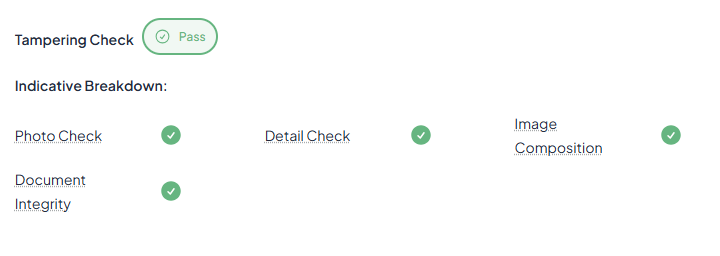
Photo Check
Overview:
Evaluates whether the ID photo appears genuine and unaltered.
Explanation:
Photo check determines if there are any issues with the photo of the person on the document.
If photo check gets flagged it could mean that:
The face photo on the ID shows inconsistencies and may not be trustworthy.
Check for:
- Overlaid image on top of the original face photo.
- Reprinting or face morphing of the original face photo.
- Chemical tampering or physical damage around the face photo.
- General inconsistencies in the face photo against the original printing specification such as expected colouring, alignment & security features.
Note: Repeat attempts with poor image capture quality might also trigger this flag. In rare cases, a document may be poorly printed and may also cause this to flag.
Detail check
Overview:
Inspects finer elements, such as spelling, spacing, serial numbers, MRZ consistency, and font alignment for subtle discrepancies.
Explanation:
Detail check determines that all the specifications of the document align with expectations.
If detail check gets flagged it could mean that:
Measurements, alignments, or security features are inconsistent with a genuine document of this template.
Check for:
- Misaligned or misplaced fields.
- Completely fake or engineered ID document.
- Inconsistent fonts and text across the document or compared to the original.
- Symbols, security features or colours on the document differing from the original.
- Checksum, machine readable zone (MRZ) or barcode such as PDF417 inconsistency
Note: An excessively damaged document affecting key security features may trigger this flag. Additionally, these inconsistencies might not be visually obvious and are detected through detailed technological analysis. Exercise caution if deciding to accept the document.
Image Composition
Overview:
Assesses the photo as a whole for signs of manipulation, such as lighting mismatches, blurred or inconsistent edges, shadow anomalies, or screen reflections.
Explanation:
Image composition determines if a document captures is live and present.
If image composition gets flagged it could mean that:
The document may not be physical and present. The surface of the ID document doesn’t appear original.
Check for:
- Pixelation, windows, cursors, or screen edges indicating a screen capture.
- Poor image quality or unusual colouration suggesting a photo or photocopy.
- Signs of tampering with the plastic film on the ID surface.
Note: Repeat attempts with poor image capture quality, such as blurriness, glare or low resolution, might also trigger this flag, as these can exhibit similar traits to a high risk image.
Document integrity
Overview:
Checks that overall structural and security templated, such as layout, holograms, fonts, and data zones, match the known standard for that ID type.
Explanation:
Document integrity determines that physical document isn’t damaged or is in-tact.
If document integrity gets flagged it could mean that:
The document shows file-level inconsistencies and may be digitally edited.
Check for:
- Upload of a pre captured image from gallery or file system instead of a live device captured image.
- Signs of photoshopping, especially on fields or the face image.
- Image resolution and size inconsistent with a mobile camera such as a cropped image.
Note: Overexposed or softened image characteristics such as an image filter applied on a device level, such as a “captured on” watermark, may cause this to flag. Importantly, edits may not be visually obvious as this check is file-level. Exercise caution if deciding to accept the document.
Was this article helpful?
That’s Great!
Thank you for your feedback
Sorry! We couldn't be helpful
Thank you for your feedback
Feedback sent
We appreciate your effort and will try to fix the article